
How to Change Mobile Number in PAN Card?
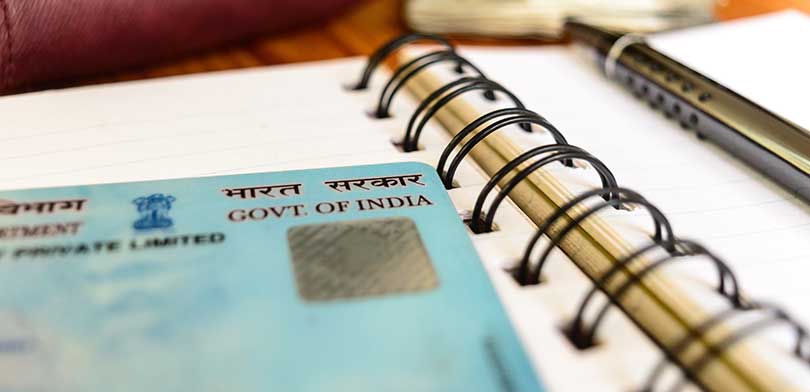
A PAN Card (Permanent Account Number) is an essential document issued by the Income Tax Department of India.
It is used to track financial transactions such as tax payments, investments, loans, and business activities.
Keeping your mobile number updated with your PAN card is extremely important for OTP verification, secure login,
and receiving official alerts.
Why Is It Important to Update Mobile Number in PAN Card?
- Required for OTP-based verification
- Receive important Income Tax alerts via SMS
- Prevents identity fraud
- Helps in Aadhaar–PAN linking and e-verification
- Ensures smooth access to online financial services
Online Process to Change Mobile Number in PAN Card
Method 1: Through Income Tax e-Filing Portal
- Visit the official Income Tax e-Filing website
- Login using your User ID and Password
- Go to My Profile
- Open Profile Settings
- Click Edit under Contact Details
- Enter your new mobile number
- Verify using OTP sent to the new number
- Submit to complete the update
Method 2: Through NSDL (Protean) Portal
- Visit the NSDL (Protean) PAN services portal
- Select Change / Correction in PAN Data
- Fill the PAN correction application form
- Choose Contact & Other Details section
- Enter the new mobile number
- Select submission mode (e-KYC & e-Sign recommended)
- Complete Aadhaar OTP verification
- Make payment (if applicable)
- Download acknowledgement for reference
Offline Process to Change Mobile Number in PAN Card
- Download PAN correction form from NSDL website
- Fill the form carefully using black pen
- Attach required supporting documents
- Submit the form at nearest PAN service center
- Pay the applicable fee
- Your mobile number will be updated after verification
Fees to Change Mobile Number in PAN Card
| Requirement | Fee |
|---|---|
| Physical PAN Card (India Address) | ₹107 |
| Physical PAN Card (Outside India) | ₹1,017 |
| e-PAN Only (No Physical Card) | ₹72 |
Documents Required
Proof of Identity
- Aadhaar Card
- Passport
- Voter ID
- Driving License
- Government-issued Photo ID
Proof of Address
- Aadhaar Card
- Passport
- Electricity / Water / Gas Bill
- Bank Statement
- Domicile Certificate
Proof of Date of Birth
- Aadhaar Card
- Passport
- Birth Certificate
- Matriculation Certificate
Important Points to Remember
- Keep scanned documents ready before applying
- Ensure all mandatory fields are filled correctly
- Save the 15-digit acknowledgement number
- Processing usually takes 10–15 working days
Conclusion
Updating your mobile number in PAN card is crucial for secure financial transactions and compliance with Income Tax regulations.
Whether online or offline, the process is simple if done carefully with correct documents.
Frequently Asked Questions (FAQs)
Q1. How long does it take to update mobile number in PAN card?
It usually takes 10–15 working days.
Q2. Can I update PAN mobile number without Aadhaar?
Yes, Aadhaar is recommended but offline method can be used.
Q3. Is OTP mandatory for updating mobile number?
Yes, OTP verification is required for online updates.
Q4. Can I update only mobile number without changing other details?
Yes, you can select only Contact Details in the correction form.
Q5. Will I get confirmation after update?
Yes, via SMS and acknowledgement receipt.
You must be logged in to post a comment.