
EMRS Admit Card 2025 Released — Hall Ticket Download Live for Teaching & Non-Teaching Posts
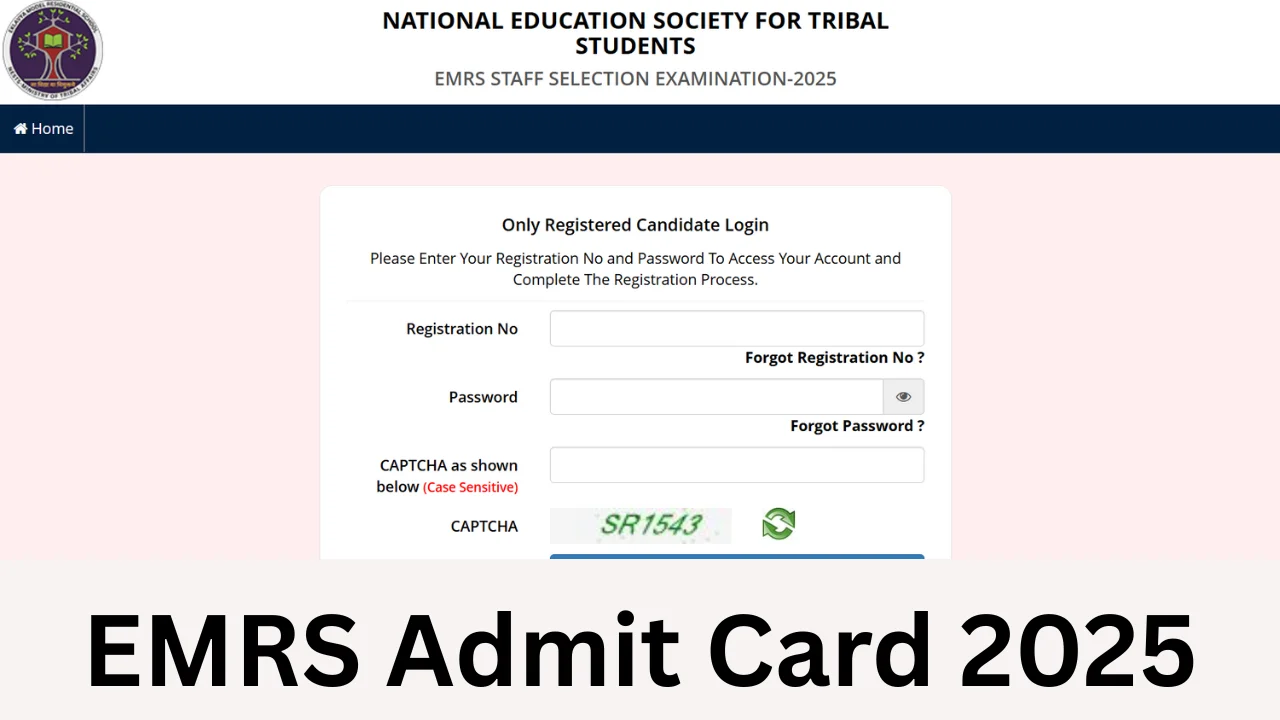
The National Education Society for Tribal Students (NESTS) has uploaded the EMRS Admit Card 2025 on its official portal. Candidates who registered for the EMRS Staff Selection Exam (ESSE) can now access their hall tickets using their registration credentials. Read this guide for a clear, step-by-step process to download your admit card, what to check on the ticket, items to carry to the exam centre, and important exam-day instructions.
Quick snapshot — What you need to know
| Event | Details |
|---|---|
| Admit Card Release Date | 11 December 2025 |
| Exam Dates | 13, 14 & 21 December 2025 (post-wise shifts) |
| Official portal | nests.tribal.gov.in |
| Posts covered | Principal, PGT, TGT, Staff Nurse, Hostel Warden, Accountant, Jr. Secretariat Assistant, Lab Attendant and more |
| Application window | 19 September — 28 October 2025 |
Who can download the EMRS Hall Ticket?
Only candidates who completed the registration process within the specified window (19 Sep to 28 Oct 2025) and whose applications were accepted by NESTS are eligible to download the admit card. If you registered but do not see your hall ticket, check the following:
- Your application payment status — ensure the fee (if applicable) was processed.
- The credentials you are entering — registration number, password and security pin must match records.
- Look for official updates or corrigenda on the NESTS website in case of last-minute changes.
How to download EMRS Admit Card 2025 — Step-by-step
Follow these simple steps to download your hall ticket without confusion. Keep your registration details and a reliable internet connection ready.
- Open the official website: nests.tribal.gov.in.
- Look for the link labelled “EMRS Staff Selection Exam – 2025 Admit Card” on the homepage or the recruitment/admit card section.
- Click the link and you will be redirected to the candidate login page.
- Enter your Registration Number, Password and the Security Pin shown on screen.
- After successful login, find the download option and click to view your admit card PDF.
- Download the PDF to your device and take a clear printout to carry on the day of the exam.
Details printed on the EMRS Hall Ticket — Verify them
Carefully check every field on the admit card immediately after downloading. If you spot any error, report it to the NESTS helpdesk without delay.
- Candidate name and parent/guardian’s name
- Registration number and roll number
- Post applied for and category
- Exam city, centre name and full address
- Exam date, reporting time and shift/slot
- Candidate photograph and signature
- Essential instructions for the exam day
Documents to carry to the exam Centre
On the exam day, you must carry the following documents — failure to present these may result in denial of entry:
- Printed copy of EMRS Admit Card 2025 (clear, A4 size)
- Original Photo ID — Aadhaar card, PAN card, Voter ID, Passport or any government-issued identity proof
- Passport-size photograph (same as uploaded during application, if requested)
- SC/ST/OBC certificate, disability certificate or any other document required for relaxation (if applicable)
Exam-day instructions — Be punctual and prepared
Read these points carefully so your exam day runs smoothly.
- Reach the exam centre well before the reporting time mentioned on the admit card; late entry is generally not permitted.
- Carry only permitted items — avoid bringing bags, electronic gadgets, calculators, or any study material into the exam hall unless expressly allowed.
- Follow the invigilator’s instructions. Any attempt to cheat or communicate with others may lead to disqualification.
- Maintain decorum and cooperate with security and staff during frisking and entry procedures.
- Carry a simple transparent water bottle; most centres allow it but confirm via admit card instructions.
If you cannot download the admit card — troubleshooting
Facing trouble while downloading your hall ticket? Try these fixes before contacting the authorities:
- Double-check your registration number and password for typos. Copy-paste may help avoid mistakes.
- Use a different browser or clear your browser cache and cookies.
- Try downloading during non-peak hours — server congestion can slow access immediately after release.
- If credentials are lost, use the portal’s forgot password/URN recovery options, or check your registered email for confirmation messages sent at registration time.
- As a last resort, contact the NESTS helpdesk with proof of application (screenshots, payment receipts) and ask for assistance.
Exam cities & shifts — Plan travel in advance
NESTS had provided an exam city slip earlier (on 28 November 2025) indicating the city where candidates will be examined. The admit card will contain the specific centre address and shift timing. If your exam city differs from your hometown, arrange travel and stay in advance to avoid last-minute hassles, especially for exams scheduled on busy dates.
Special instructions for differently-abled candidates
Applicants who indicated disability at the time of application are normally accommodated per guidelines. Ensure your admit card mentions the accommodations (if any). Carry the original disability certificate and necessary supporting documents to the centre. If you have requested a scribe or other assistance, reconfirm arrangements with NESTS before the exam.
What if details on the admit card are incorrect?
Errors on the admit card can cause stress; act fast:
- First, re-check your application data to confirm whether the error originates from your submission or the NESTS processing.
- If the mistake is on your end (for example, misspelt name), email or call the NESTS support as instructed on the official portal immediately and attach proof (ID, application screenshot).
- For centre changes, reporting time errors, or missing photograph, contact NESTS and follow their corrective process. Keep screenshots and written confirmations for records.
After the exam — what to expect
Once you complete your paper, NESTS will announce results and subsequent steps on their website. For teaching and non-teaching posts, further stages may include document verification, skill tests, or interviews depending on the post. Monitor the official portal and the email or phone number you provided during registration for updates.
Frequently asked questions (FAQs)
Q1. When was the EMRS Admit Card 2025 released?
A1. The admit card was uploaded on the official NESTS portal on 11 December 2025.
Q2. My application was submitted — but I cannot see the admit card. Why?
A2. Possible reasons include pending payment, incorrect credentials being used, or processing delays. Re-check payment status, try the portal recovery options, or reach out to the NESTS helpdesk with your application proof.
Q3. Will the admit card be sent by post?
A3. No. NESTS issues admit cards online only. Candidates are responsible for downloading and printing the hall ticket themselves.
Q4. Can I carry a digital (mobile) copy of the admit card?
A4. Always carry a printed copy as the primary document. A digital copy is useful as backup, but some centres insist on hard copies, so do not rely solely on mobile screenshots.
Q5. What ID proofs are accepted at the exam centre?
A5. Commonly accepted IDs include Aadhaar card, Voter ID, Passport, PAN card and Driving Licence. Verify the exact list on your admit card instructions and carry the original document.
Final checklist before you leave for the exam
- Printed EMRS Admit Card (clear copy)
- Original Photo ID proof (as listed)
- Passport-size photograph (extra copy)
- Any category/disability certificates (if applicable)
- Mask (if local rules apply), hand sanitizer, and transparent water bottle
- Stationery permitted by the instructions (e.g., pen)
We recommend reaching the centre at least 60–90 minutes before reporting time to allow for security checks and seating arrangements. Remain calm, follow instructions, and attempt the paper with focus.
Stay updated — official links and contact
Always rely on the official NESTS website for the most reliable information. Keep an eye on notices on the portal in case of last-minute changes to schedules or centres. If you need specific help, use the contact details provided on the official site to reach the recruitment cell.
Good luck to all candidates. Prepare well, plan your travel, and double-check your documents. If you need a printable checklist or a WhatsApp-ready message to share with co-applicants, tell us and we’ll prepare one for SarkariEdge readers.
You must be logged in to post a comment.